Kiosk registration
Customers join the queue from a self-service screen — entering a name, or taking a printed ticket number. No app download and no account required.
 UEUGet UEU
UEU turns a single iPhone, iPad, or Android tablet into a complete queue management system — kiosk registration, a live staff dashboard, and an ambient display board, all on your local network. No internet required.
Customers register at a kiosk, staff manage the flow from a live dashboard, and a display screen keeps everyone informed — all without sending data off your premises.
Customers join the queue from a self-service screen — entering a name, or taking a printed ticket number. No app download and no account required.
Counter staff call the next customer, reassign queues, and watch wait times update in real time from any browser on the same network.
A clean, auto-refreshing screen shows who is being served and who is next — perfect for a wall-mounted TV or monitor in the waiting area.
The server runs on the device itself over local Wi-Fi. No cloud subscription, no monthly fees for core features, and no customer data leaves your premises.
Connect an ESC/POS thermal printer for numbered tickets, or run name-only with zero extra hardware. The app switches modes automatically.
Set your business name, logo, colors, multiple counters, staff roles, and service types — then export history as CSV, PDF, or Excel.
These are the actual control screens you get on the host device.
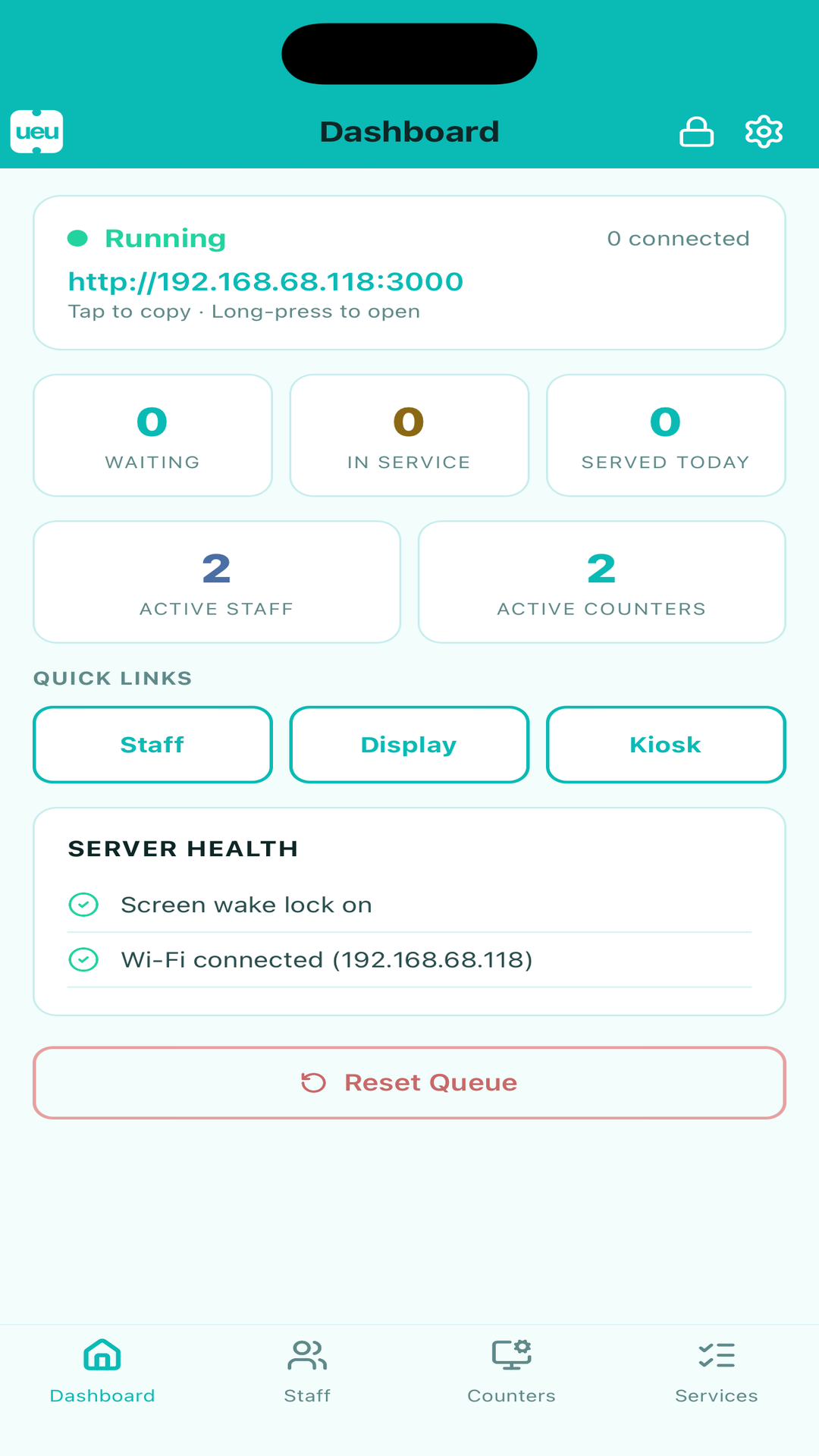
See server status, the connection address, live counts, and quick links to every view.
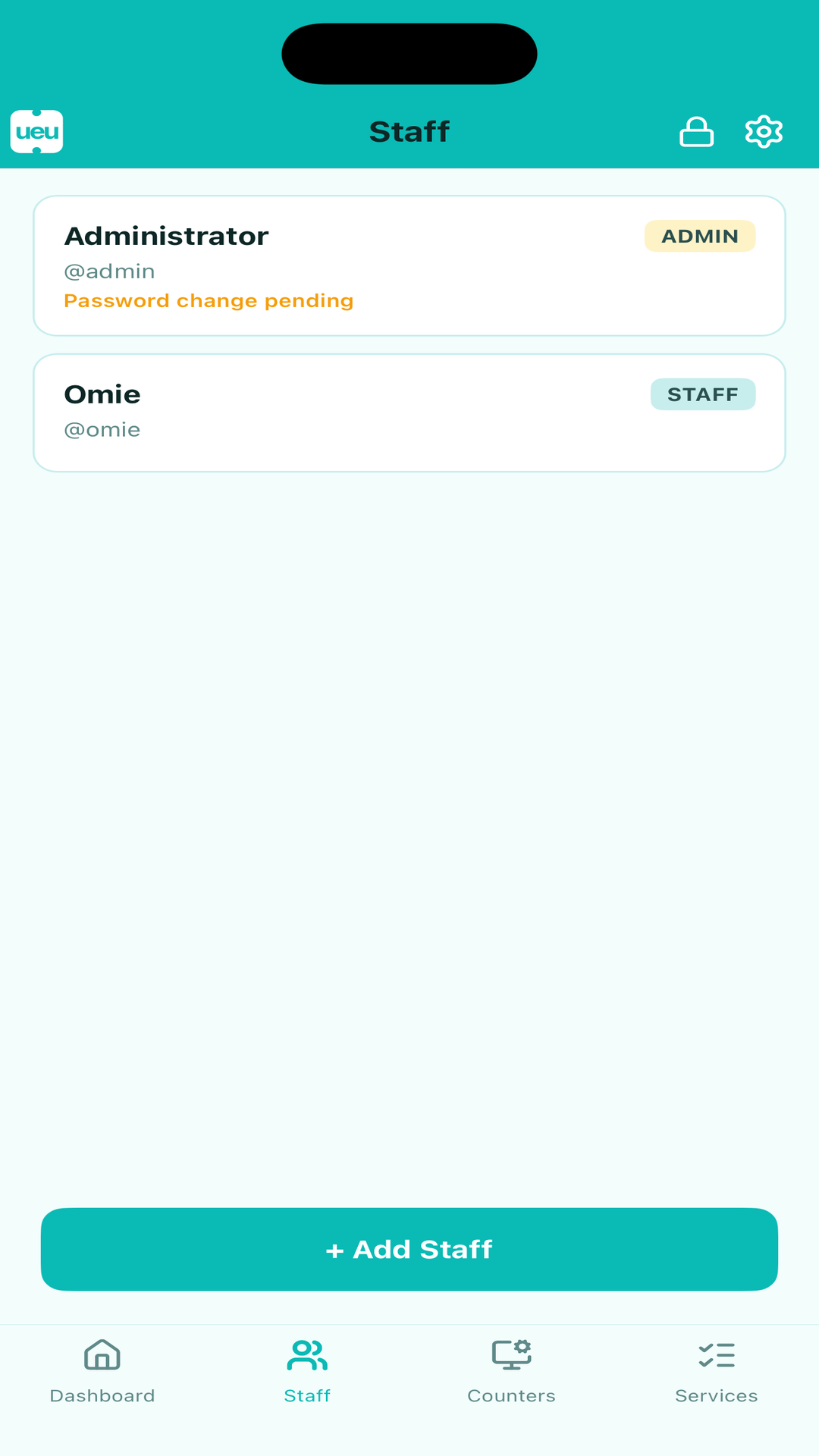
Add staff, assign admin or staff roles, and require a password change on first login.
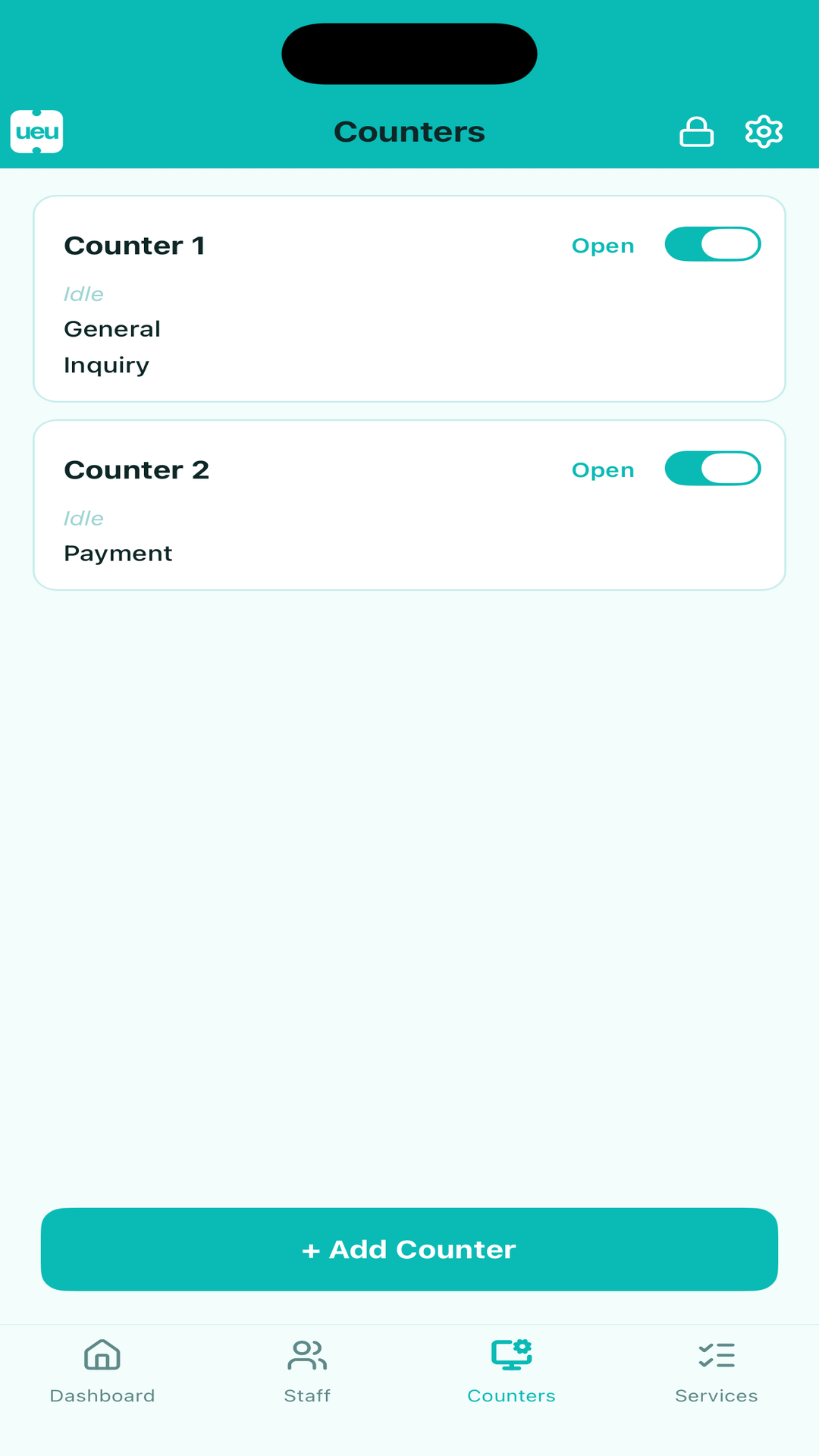
Open and close service counters and assign each one a service type.
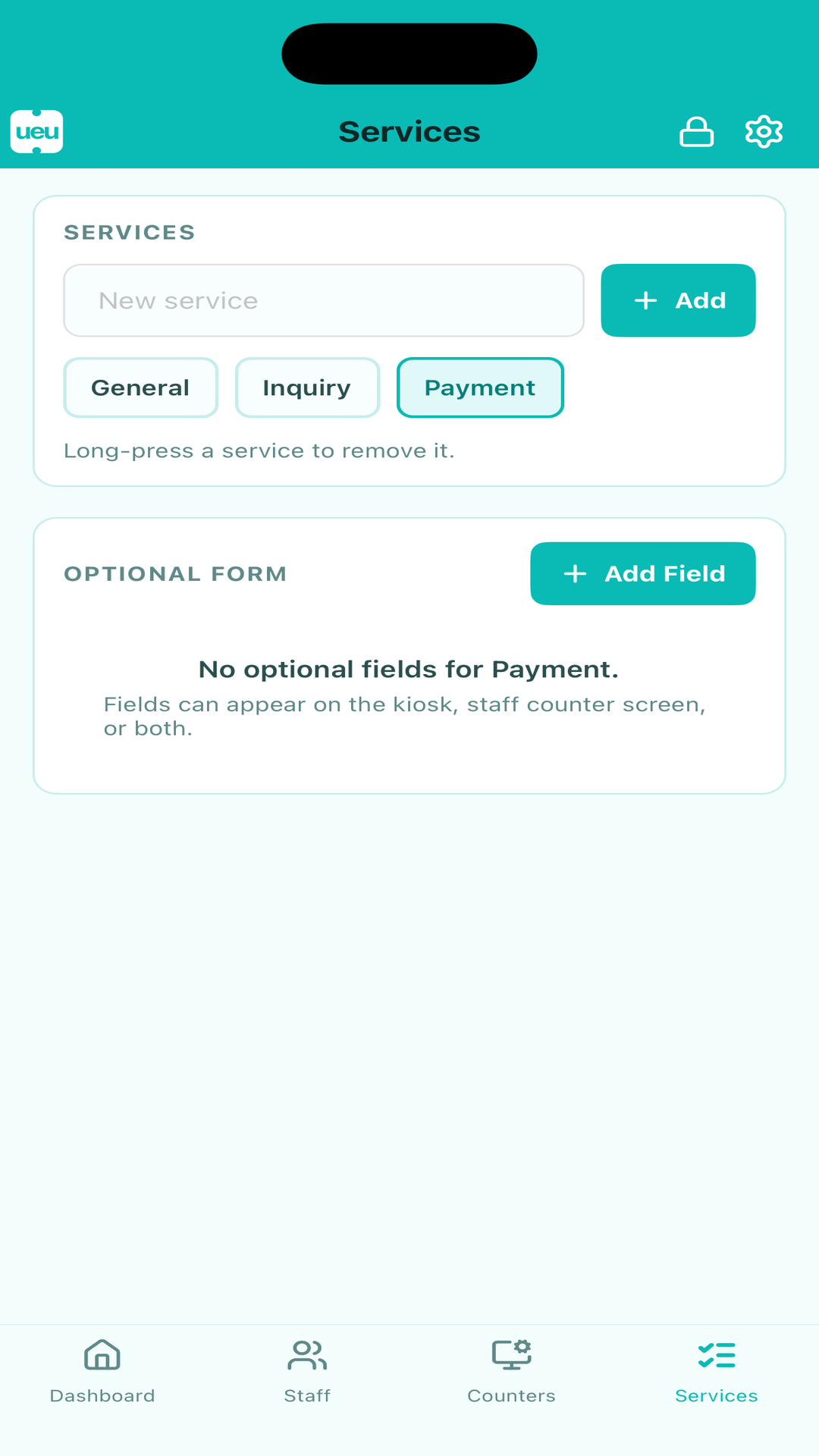
Define the services you offer and add optional kiosk or counter form fields.
UEU keeps things simple: one device runs the server, every other screen is just a browser pointed at it.
Install UEU on an iPhone, iPad, or Android tablet. It starts a local server on your Wi-Fi and shows its address on the dashboard.
Point a kiosk tablet, staff browsers, and a display TV at the server's address. Scan the built-in QR codes to connect in seconds.
Customers register, staff call them by name or ticket number, and the display keeps everyone informed — all in real time, all on your LAN.
From medical offices to service counters, UEU keeps lines orderly while keeping customer data on-site.
Keep patients calm and informed with a private, name-or-number queue that never sends data off-site.
Run multiple lanes and counters with role-based staff access for busy public service desks.
Replace paper tickets and shouting names with a tidy display board and a printer-backed ticket flow.
UEU operates entirely on your local network. Customer names and ticket numbers stay on the host device and never reach external servers unless you explicitly turn on optional cloud backup.
Check availability on your preferred platform and follow the latest UEU release updates.